- Home
- Shop All Products
- All Garage Door Remotes
- All Gate Remote Controls
- Tilt Garage Door Parts & Handles
- Sectional Garage Door Parts
- Tilt Garage Door Springs
- Buy Garage Door Motors DIY
- Garage Door & Gate Keypads & Wall Buttons
- Garage Door And Gate Receivers
- A1 Garage Door Remote Controls
- Acdc Garage Door Remotes
- Ads Dominator Garage Door Remotes
- Aprimatic Gate Remotes
- Ahi Garage Door Remotes
- ATA Garage Door Remotes & Keypads
- Avon Smartdoor Garage Door Remotes
- B&d Garage Door Remotes
- BENINCA Gate Remotes
- Bft Garage Door & Gate Products
- Boss Garage Door Remotes
- Came Garage & Gate Remotes
- Casar Garage Door Opener Remotes
- Centurion Gate & Garage Door Products
- Centsys Gate & Garage Door Remotes
- Chamberlain Garage Door Remotes
- Cloning Garage Door Remote
- conqueror garage door remotes
- Dace Gate Remote Controls
- DEA Gate Remote Controls
- Defender Garage Door Remotes
- Digi Code Garage Door Remotes
- Ditec Gate & Garage Remotes
- Dominator Garage Door Remotes NZ
- DoorHan Gate Remotes
- Doormate Garage Door Remotes
- Doorworks Garage Door Remotes
- Easy Lifter Garage Door Remotes
- ECA Gate & Garage Door Remotes
- Elsema Garage Door & Gate Remotes
- ET Door Opener Remotes
- FAAC Gate Remote Controls
- Force Garage Door Remotes
- Garageace Garage Door Remotes
- Fushi Garage Door Remotes
- Garador Garage Door Remote Controls
- Genius Gate Remote Controls
- Gibidi Replacement Remotes
- Gliderol Garage Door Remotes
- Grifco Garage Door Remotes
- Guardian Garage Door Remote Controls
- King Kong Doors Remotes
- Lees Technology Garage Door Remotes
- Liftmaster Garage Door Remotes
- Lockmaster Garage Door & Gate Remotes
- Merlin Garage Door Remotes & Keypads
- Mhouse Garage & Gate Remotes
- Motorpol Garage Door Remotes
- Motorlift Garage Door Remotes
- Motostar Gate Remotes
- Nice Garage & Gate Remotes
- Orbit Garage Door Remotes
- ORCA Garage Door Remotes
- Parker Garage Door Remotes
- Remote King garage & Gate Remotes
- Rib Gate & Garage Door Remote Controls
- Securalift Garage Door Remotes
- Smart Openers Garage Door Remotes
- Sommer Remote Controls
- Sovereign Garage Door Remotes
- SuperLift Garage Door Remotes
- Steel-Line Garage Door Remotes
- Tau Gate Remote Controls
- Tiltamatic Garage Door Remotes
- Tmt Automation Gate Remotes
- Troytec Garage Door Remotes
- Vergo Garage Door Opener Remote
- Vaskeri Garage Door Remotes
- V2 Phox Garage Door & Gate Remotes
- Windsor Garage Door Remotes
- Remote Control Sun Visor Holders
- Garage Door Motor Parts
- Services We Offer In Auckland
- T&C
- Shop By Motor Head
- Contact Us
- Our Easy Remote Coding Videos
- Helpful Information
- Customer Testimonials
- FAQS
- About Us

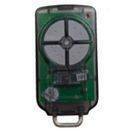
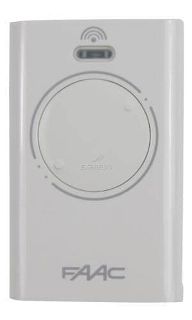
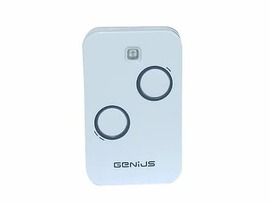
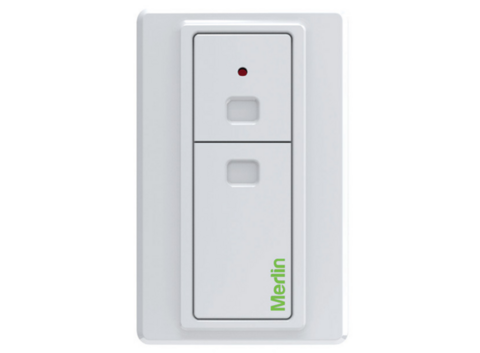
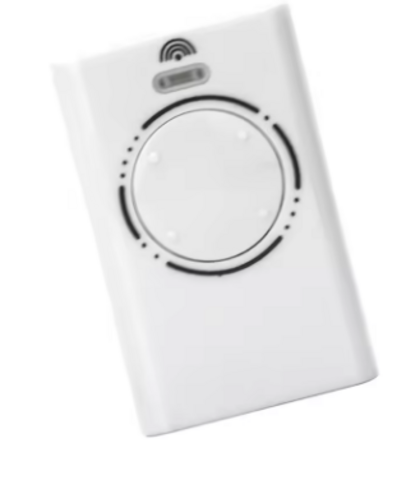
How To Replace Garage Door Remote Battery
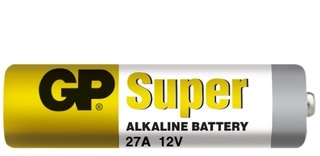
Replacing Garage Door Remote Battery
For most owners, the job takes only a few minutes. The catch is that not all remotes open the same way, not all batteries are interchangeable, and a flat battery can sometimes hide a different fault. That is where a careful approach saves time.
How to replace remote battery without guesswork
Start by checking the remote itself before you pry anything open. Look for the brand and model number on the front, back, or inside the battery cover if it has one. Many garage and gate remotes use coin-cell batteries such as CR2032, CR2016 or CR2025, while others use 12V types such as A23 or smaller specialty cells.
If the LED on the remote is dim, intermittent, or no longer lights at all, the battery is the first thing to replace. If the LED still looks strong but the door or gate does not respond, there may be a coding issue, receiver fault, or a worn remote button instead. Replacing the battery is still a sensible first step because it rules out the simplest cause.
Before opening the case, work on a clean bench or table. Small battery clips, covers and screws are easy to lose, especially if you are changing the battery in the garage with the car waiting behind you.
Gather the right battery first
The most common mistake is fitting a battery that looks right but is not the correct specification. A CR2025 and a CR2032 are both coin cells, but they are not always interchangeable. Thickness matters. Voltage matters too.
Use the code printed on the old battery where possible. If you cannot read it, check the remote model rather than guessing. For older or discontinued remotes, battery type can vary even within the same brand range.
Choose a good-quality battery from a reliable source. Cheap cells can have a short shelf life or inconsistent output, and that can make a remote seem faulty when the real problem is the battery itself.
Opening the remote case safely
Some remotes have a small screw on the back. Others are clipped together and need to be eased open with a small flat screwdriver or plastic pry tool. Do not force it. If a case does not separate easily, stop and check for a hidden screw under a label, keyring tab or rubber insert.
Insert the tool gently into the seam and twist slightly rather than levering hard. The goal is to release the clips, not bend the casing. If you crack the case, the remote may still work, but it will be more vulnerable to moisture, dust and future breakage.
Once open, note how the battery sits before removing it. Take a quick photo on your mobile if needed. That avoids the common problem of fitting the new battery upside down.
Watch for loose components
Some remote cases contain a loose button pad, small spring or circuit board that can shift when opened. Keep the remote flat in your hand or on the table as you separate the two halves. If parts move out of place, do not rush the reassembly. Align everything properly before closing the case.
With older remotes, the plastic tabs can become brittle. If the casing feels fragile, use extra care. A remote that has spent years in a hot car, on a keyring, or in direct sun can be more delicate than it looks.
Removing and fitting the new battery
Slide or lift the old battery out carefully. Avoid using excessive force on the battery contacts. Those small metal tabs are easy to bend, and if they lose tension the new battery may not make a proper connection.
Check the battery compartment for dust, corrosion or grime. If the old battery has leaked, do not simply drop a new one in and hope for the best. Light residue can sometimes be cleaned carefully, but heavy corrosion may mean the remote has internal damage.
Fit the new battery in the same orientation as the old one. On many remotes, the positive side marked with a plus symbol faces up, but not always. This is why checking before removal matters.
Once the battery is seated, press a button and look for the LED. If the light is brighter than before, that is a good sign. If there is still no LED response, recheck the battery orientation and confirm you have the correct type.
Reassemble and test the remote properly
Clip or screw the case back together evenly. Do not overtighten small screws, as that can strip the plastic. After reassembly, stand a normal operating distance from the garage door or gate and test the remote a few times.
If it works at close range but not from your usual distance, there may be more going on than a weak battery. Range problems can point to interference, a tired remote, a failing receiver, or even an antenna issue at the opener.
If the remote stops working entirely after battery replacement, do not assume you have erased the coding. Most modern garage and gate remotes keep their coding when the battery is removed. In many cases the issue is a poor battery contact, the wrong replacement battery, or a case that has not gone back together correctly.
When a battery change will not fix the problem
Knowing how to replace remote battery is useful, but it is only part of fault finding. If a fresh battery does not restore normal use, the next step is working out whether the problem is the remote, the receiver, or the opener system.
A remote may have worn button contacts after years of use. You might notice one button works better than another, or the LED lights but the signal does not transmit reliably. In other cases, the remote may be the wrong frequency for the system, or it may have lost programming after damage rather than battery removal.
The opener receiver can also be at fault. If none of the remotes work consistently, or the wall button works but remotes do not, that points away from the battery and towards a receiver or coding issue. For older systems, replacement remotes or aftermarket receiver solutions are often the fastest path back to reliable access.
Signs you may need a new remote instead
A new battery will not solve a cracked circuit board, broken switch, water-damaged casing or missing button membrane. If the remote has been dropped, sat in the rain, or worn smooth after years on a keyring, replacement is often more practical than trying to keep it going.
That matters even more with garage and gate access, because reliability is the whole point. A remote that works only every second day is not really fixed.
Battery tips for garage and gate remotes
It helps to keep one spare battery at home if your remote uses a common cell. That is especially useful for households with multiple users or sites where a flat remote causes immediate access trouble. At the same time, do not stockpile batteries for years in a hot drawer or glovebox, because storage conditions affect lifespan.
If you manage a property, label spare remotes by door or gate and note the battery type. That small bit of organisation saves a lot of confusion later, particularly when different remotes look similar but use different cells or coding systems.
For households with children, store coin batteries securely. They are small and hazardous if swallowed. Dispose of old batteries properly rather than leaving them on a bench or tossing them into general rubbish.
Posted: Friday 5 June 2026
Recent Posts
Archive
|
© Copyright New Zealand Garage Door Remotes - Site Map Phone: 0211724470 Auckland New Zealand |