- Home
- Shop All Products
- All Garage Door Remotes
- All Gate Remote Controls
- Tilt Garage Door Parts & Handles
- Sectional Garage Door Parts
- Tilt Garage Door Springs
- Buy Garage Door Motors DIY
- Garage Door & Gate Keypads & Wall Buttons
- Garage Door And Gate Receivers
- Acdc Garage Door Remotes
- Ads Dominator Garage Door Remotes
- Aprimatic Gate Remotes
- Ahi Garage Door Remotes
- ATA Garage Door Remotes & Keypads
- Avon Smartdoor Garage Door Remotes
- B&d Garage Door Remotes
- BENINCA Gate Remotes
- Bft Garage Door & Gate Products
- Boss Garage Door Remotes
- Came Garage & Gate Remotes
- Casar Garage Door Opener Remotes
- Centurion Gate & Garage Door Products
- Centsys Gate & Garage Door Remotes
- Chamberlain Garage Door Remotes
- Cloning Garage Door Remote
- conqueror garage door remotes
- Dace Gate Remote Controls
- DEA Gate Remote Controls
- Defender Garage Door Remotes
- Digi Code Garage Door Remotes
- Ditec Gate & Garage Remotes
- Dominator Garage Door Remotes NZ
- DoorHan Gate Remotes
- Doormate Garage Door Remotes
- Doorworks Garage Door Remotes
- Easy Lifter Garage Door Remotes
- ECA Gate & Garage Door Remotes
- Elsema Garage Door & Gate Remotes
- ET Door Opener Remotes
- FAAC Gate Remote Controls
- Force Garage Door Remotes
- Garageace Garage Door Remotes
- Fushi Garage Door Remotes
- Garador Garage Door Remote Controls
- Genius Gate Remote Controls
- Gibidi Replacement Remotes
- Gliderol Garage Door Remotes
- Grifco Garage Door Remotes
- Guardian Garage Door Remote Controls
- King Kong Doors Remotes
- Lees Technology Garage Door Remotes
- Liftmaster Garage Door Remotes
- Lockmaster Garage Door & Gate Remotes
- Merlin Garage Door Remotes & Keypads
- Mhouse Garage & Gate Remotes
- Motorpol Garage Door Remotes
- Motorlift Garage Door Remotes
- Motostar Gate Remotes
- Nice Garage & Gate Remotes
- Orbit Garage Door Remotes
- ORCA Garage Door Remotes
- Parker Garage Door Remotes
- Remote King garage & Gate Remotes
- Rib Gate & Garage Door Remote Controls
- Securalift Garage Door Remotes
- Smart Openers Garage Door Remotes
- Sommer Remote Controls
- Sovereign Garage Door Remotes
- SuperLift Garage Door Remotes
- Steel-Line Garage Door Remotes
- Tau Gate Remote Controls
- Tiltamatic Garage Door Remotes
- Tmt Automation Gate Remotes
- Troytec Garage Door Remotes
- Vergo Garage Door Opener Remote
- Vaskeri Garage Door Remotes
- V2 Phox Garage Door & Gate Remotes
- Windsor Garage Door Remotes
- Remote Control Sun Visor Holders
- Garage Door Motor Parts
- Services We Offer In Auckland
- DEA Gate Remote Controls
- T&C
- Shop By Motor Head
- Contact Us
- Our Easy Remote Coding Videos
- Helpful Information
- Customer Testimonials
- FAQS
- About Us
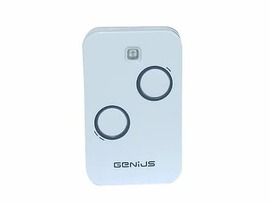
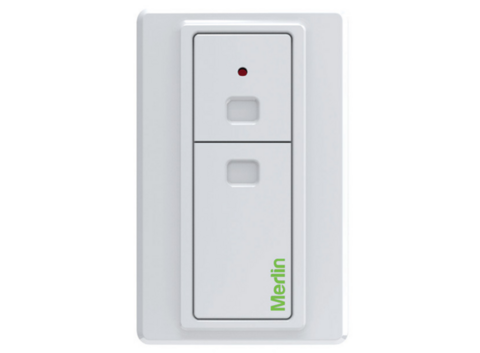
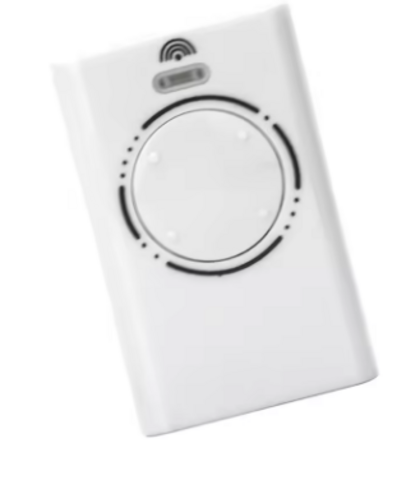
Obsolete Garage Door Remote Replacement Help

Obsolete garage door remote replacement starts with identification
The fastest way to find the correct option is to identify the motor or receiver first. Look for a label on the garage-door opener casing, often near the light cover, control panel or motor head. On a sliding or swinging gate, the label may be inside the control box beside the driveway.
Write down the brand, model number and any information printed on the old remote. Merlin, ATA, B&D, Dominator, Chamberlain, Boss, LiftMaster, Nice and FAAC all have older systems with several generations of remotes that can look alike but use different coding.
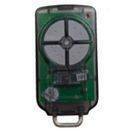
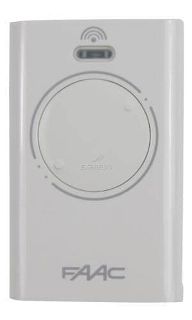
If the original remote is still available, clear photos of the front, back and inside battery compartment can make identification much easier. The colour of the case or buttons can be a useful clue, but it is not proof of compatibility. Manufacturers often reused remote shells across different radio systems.
For a reliable match, gather these details before ordering:
- The brand and model of the opener, gate motor or external receiver
- The model number, frequency or code printed on the old transmitter
- The number of buttons and what each button operates
- A photo of the receiver board or control box if the opener label is missing
- Whether another working remote is available to copy or use for testing
A working remote helps, but it is not always essential. Many systems allow a new remote to be programmed directly into the receiver using its learn button.
Why a similar-looking remote is not always the answer
Older garage-door remote systems generally use one of two approaches: fixed coding or rolling code. Fixed-code remotes commonly use a row of tiny switches, known as DIP switches, inside the remote. A replacement must have the same switch positions as the original or receiver.
Rolling-code systems use a changing security code each time the remote is pressed. These cannot be copied by matching switches. Instead, the replacement remote is enrolled at the opener or receiver, normally by pressing a learn button and then the chosen button on the new remote.
Frequency alone does not confirm a match. Two remotes may both operate on 433 MHz, for example, but use completely different radio formats. The same applies to a remote labelled 27 MHz, 40 MHz or 868 MHz. A generic remote from a hardware shop may be advertised as universal, yet not support your particular receiver or may only work with a limited list of fixed-code systems.
That is why a genuine OEM remote is sometimes the sensible choice, while a quality compatible replacement can be the better-value answer for other older openers. It depends on the system, the number of remotes required and whether the original receiver is still operating reliably.
When the original remote has been discontinued
Discontinued does not automatically mean unavailable. A specialist supplier may still have genuine older stock, a compatible replacement designed for that system, or a modern transmitter that can be programmed to the existing receiver.
There are three common outcomes. First, the original style remote is still available and can be coded in the usual way. Second, a compatible remote is available, often at a lower cost and with a more current case design. Third, the old receiver is too outdated, damaged or restrictive to support a practical replacement. In that case, fitting a new external receiver is usually the cleanest solution.
A receiver upgrade allows modern remotes to operate an older garage-door motor or gate controller. The motor itself does not need to be replaced if it is mechanically sound. The new receiver is wired into the existing open and close trigger terminals, then paired with new remotes. This is particularly useful where every old remote has been lost, where only expensive discontinued transmitters are available, or where you need several remotes for tenants, staff or family members.
For landlords and small businesses, a receiver upgrade can also simplify access control. Rather than trying to keep a mix of ageing remotes alive, you can issue matching current remotes and remove lost units from the system where the receiver allows it.
Check the opener before blaming the remote
Remote failure is common, but it is not the only cause of an access problem. Start with a fresh battery of the correct type. A weak battery can reduce range gradually, especially through a brick garage wall or metal gate cabinet. Check that the battery contacts are clean and not bent or corroded.
Then test the wall button, if your garage has one. If the wall button operates the door but the remote does not, the issue is more likely to be the remote, its coding or the receiver aerial. If neither the wall button nor any remotes work, the opener may have a power, safety-device or control-board fault.
Range issues deserve a closer look. A remote that only works when held near the motor may have a weak battery, damaged transmitter, poor receiver aerial or radio interference nearby. LED lighting, battery chargers and some electronic devices can interfere with older radio receivers. Turning nearby equipment off briefly can help identify whether interference is involved.
Do not keep pressing a remote repeatedly if the door is behaving unpredictably. A door that starts, stops or reverses without a clear reason may need adjustment or repair, particularly if the safety beam, springs, tracks or motor are also showing signs of trouble.
Coding a replacement remote safely
Once you have the correct replacement, programming is usually straightforward, but the exact method varies by brand and age. Some openers have a clearly marked learn button. Others use a programming button hidden under a light cover, behind a control-panel flap or inside the gate controller.
Before you begin, make sure the garage door is closed and the area is clear of people, vehicles and stored items. Have the new remote ready, and follow the specific coding sequence for the receiver. Many systems give a click, flash or light confirmation when the remote has been accepted.
Be careful when using an existing remote to copy a code. On some older systems, copying is appropriate. On rolling-code systems, it often is not. The new remote needs to be learned into the receiver rather than cloned from another transmitter.
If you accidentally erase all stored remotes while programming, do not panic. The receiver can usually be reprogrammed, but every remaining remote may need to be added again. This is one reason property managers should keep a record of the opener model and the remotes issued to each tenant.
When a site visit is the better option
DIY replacement is ideal when the motor is accessible, the brand is known and the receiver is working normally. It becomes less practical when the control box is hard to reach, the opener has no visible model label, multiple doors or gates use different systems, or the remote problem may actually be an opener fault.
For Auckland customers, Garage Door Remotes can provide mobile help with programming, receiver upgrades, opener repairs and motor replacement where needed. That is often the quickest path when a gate is the only vehicle access to a property, a warehouse roller door is holding up work, or an older automation system needs more than a new handset.
A lost or obsolete remote does not have to leave you locked out or force an unnecessary motor replacement. Start with the receiver details, choose a remote that is genuinely compatible, and consider a new receiver when the old radio system has reached the end of its useful life. A correct solution now means reliable access when you need to get the car out tomorrow morning.
Posted: Monday 17 August 2026
Recent Posts
Archive
|
© Copyright New Zealand Garage Door Remotes - Site Map Phone: 0211724470 Auckland New Zealand |