- Home
- Shop All Products
- All Garage Door Remotes
- All Gate Remote Controls
- Tilt Garage Door Parts & Handles
- Sectional Garage Door Parts
- Tilt Garage Door Springs
- Buy Garage Door Motors DIY
- Garage Door & Gate Keypads & Wall Buttons
- Garage Door And Gate Receivers
- Acdc Garage Door Remotes
- Ads Dominator Garage Door Remotes
- Aprimatic Gate Remotes
- Ahi Garage Door Remotes
- ATA Garage Door Remotes & Keypads
- Avon Smartdoor Garage Door Remotes
- B&d Garage Door Remotes
- BENINCA Gate Remotes
- Bft Garage Door & Gate Products
- Boss Garage Door Remotes
- Came Garage & Gate Remotes
- Casar Garage Door Opener Remotes
- Centurion Gate & Garage Door Products
- Centsys Gate & Garage Door Remotes
- Chamberlain Garage Door Remotes
- Cloning Garage Door Remote
- conqueror garage door remotes
- Dace Gate Remote Controls
- DEA Gate Remote Controls
- Defender Garage Door Remotes
- Digi Code Garage Door Remotes
- Ditec Gate & Garage Remotes
- Dominator Garage Door Remotes NZ
- DoorHan Gate Remotes
- Doormate Garage Door Remotes
- Doorworks Garage Door Remotes
- Easy Lifter Garage Door Remotes
- ECA Gate & Garage Door Remotes
- Elsema Garage Door & Gate Remotes
- ET Door Opener Remotes
- FAAC Gate Remote Controls
- Force Garage Door Remotes
- Garageace Garage Door Remotes
- Fushi Garage Door Remotes
- Garador Garage Door Remote Controls
- Genius Gate Remote Controls
- Gibidi Replacement Remotes
- Gliderol Garage Door Remotes
- Grifco Garage Door Remotes
- Guardian Garage Door Remote Controls
- King Kong Doors Remotes
- Lees Technology Garage Door Remotes
- Liftmaster Garage Door Remotes
- Lockmaster Garage Door & Gate Remotes
- Merlin Garage Door Remotes & Keypads
- Mhouse Garage & Gate Remotes
- Motorpol Garage Door Remotes
- Motorlift Garage Door Remotes
- Motostar Gate Remotes
- Nice Garage & Gate Remotes
- Orbit Garage Door Remotes
- ORCA Garage Door Remotes
- Parker Garage Door Remotes
- Remote King garage & Gate Remotes
- Rib Gate & Garage Door Remote Controls
- Securalift Garage Door Remotes
- Smart Openers Garage Door Remotes
- Sommer Remote Controls
- Sovereign Garage Door Remotes
- SuperLift Garage Door Remotes
- Steel-Line Garage Door Remotes
- Tau Gate Remote Controls
- Tiltamatic Garage Door Remotes
- Tmt Automation Gate Remotes
- Troytec Garage Door Remotes
- Vergo Garage Door Opener Remote
- Vaskeri Garage Door Remotes
- V2 Phox Garage Door & Gate Remotes
- Windsor Garage Door Remotes
- Remote Control Sun Visor Holders
- Garage Door Motor Parts
- Services We Offer In Auckland
- DEA Gate Remote Controls
- T&C
- Shop By Motor Head
- Contact Us
- Our Easy Remote Coding Videos
- Helpful Information
- Customer Testimonials
- FAQS
- About Us
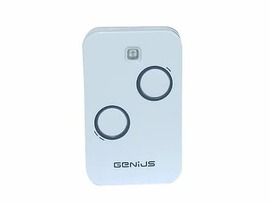
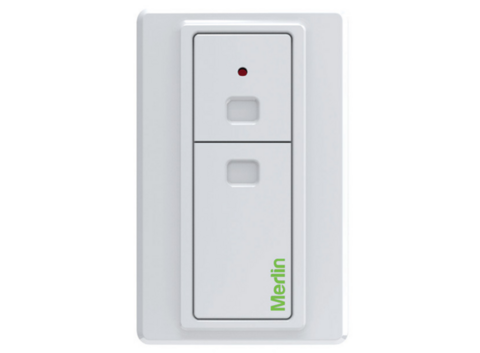
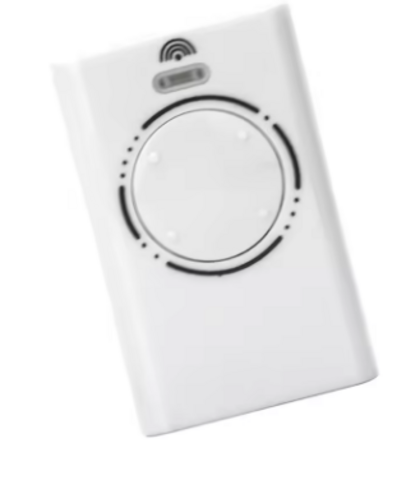
Dominator Remote Replacement NZ Made Simple

Start with the opener and your existing remote
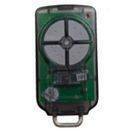
If you still have a working remote, even one with a cracked case or worn buttons, keep it handy. The label, button layout and any numbers on the rear are often the fastest way to identify a compatible replacement. A clear photo of the front and back can also make selection much easier.
Check the motor unit inside the garage as well. Look for the Dominator name, model number and any receiver information. On sectional and roller doors, the motor is usually near the ceiling or mounted beside the door. If you have a driveway gate, the control box may be mounted on a post, wall or nearby cabinet.
Do not rely on colour alone. A blue, black or grey remote case may have been used across different generations, and two remotes with similar buttons may use entirely different radio systems. Likewise, a remote programmed to a neighbour's door, an old rental property or another gate cannot confirm what your own receiver requires.
Which Dominator remote replacement NZ homes need?
Most replacement decisions come down to whether your system uses a current coded remote, an older fixed-code transmitter, or a receiver that is no longer supported by its original remote range.
A current remote is usually the most straightforward situation. You identify the model, select a genuine Dominator remote or a quality compatible alternative designed for that exact system, then code it to the motor or receiver. In many cases, this can be done from the learn button on the opener.
Older systems need a little more care. Some use small switches, often called DIP switches, inside the remote. The replacement must have the same switch arrangement copied across from the existing handset. Others use early rolling-code or proprietary systems that cannot be cloned just because another remote is on the same frequency.
This is where a specialist check is worthwhile. Frequency is only one part of compatibility. A 433 MHz remote, for example, is not automatically suitable for every 433 MHz Dominator receiver. The coding format, receiver generation and transmitter type must also match.
Genuine versus compatible remotes
A genuine OEM Dominator remote is the natural choice if you want the original form factor and the manufacturer-specific product for your opener. It can be especially useful where a particular model is required or you are replacing a newer remote.
A quality compatible remote can be a practical option where it has been specifically made for your Dominator system. It may offer better value, particularly when you need several remotes for family members, tenants, staff or vehicles. Compatibility must be confirmed first. Cheap generic remotes advertised as universal are often the wrong purchase for rolling-code systems and can create more delay than they save.
The best option depends on your opener and how you use it. For a single household door, an exact compatible replacement may be all you need. For a busy workshop, shared driveway or rental property, you may also want to consider additional remotes, a keypad or an access-control upgrade while the system is being checked.
How to code a replacement remote
Once you have the correct remote, coding is commonly a short job. The process varies between Dominator models, but it generally involves pressing the learn or code button on the motor or receiver, then pressing the selected button on the new remote within a set time.
Before starting, make sure the door is closed and the area is clear. Stand where you can safely reach the motor controls, use a stable step ladder if needed, and avoid touching electrical wiring or adjustment screws. The learn button may be under a light cover, behind a control panel or on an external receiver.
On some older fixed-code remotes, there is no learn button procedure. Instead, open the old remote and replacement remote, then match each DIP switch exactly. A single switch in the wrong position can stop the remote from working. Take a photo before moving anything, especially if the old switches are small or hard to read.
If the new remote codes successfully but the door only works from very close range, replace the battery first. If that does not help, the issue may be the receiver aerial, interference, a failing receiver or the opener itself. A remote replacement will not fix every access fault.
When the old Dominator remote is lost or obsolete
Losing the only remote changes the job, but it does not necessarily mean replacing the whole garage door motor. The opener label and receiver details can still identify a suitable remote. If the system is an older model with discontinued transmitters, there are often compatible solutions or receiver upgrade options available.
Adding a new external receiver is a sensible route when the original receiver is obsolete, unreliable or unable to support the remotes you need. The receiver connects to the motor and allows a current remote system to control the door. It can be more cost-effective than replacing a mechanically sound motor purely because its original remotes are hard to find.
A receiver upgrade also helps where you want more control over who has access. Landlords and small-business owners may prefer to remove lost remotes from the system, issue new handsets, or add a keypad rather than continue using ageing transmitters of uncertain history.
If a remote has been stolen with information that identifies your address, clearing stored remotes and programming only the remotes you still hold is the safer option. Treat it as an access-security issue, not just a replacement purchase.
Common problems that are not a remote fault
It is easy to blame the remote when the door refuses to move, but a few quick checks can prevent an incorrect order. First, try the wall button. If the wall button also fails, the problem is more likely to be power, the motor, safety settings or the door itself.
Check whether the motor has power and whether the courtesy light operates. Look for a disengaged manual release, particularly after a power cut or if the door has been operated by hand. On a roller door, a damaged curtain or tight guides can make the motor stop. On a sectional door, broken springs, cables or rollers need professional attention - do not attempt spring repairs yourself.
A remote that opens the door but will not close it may point to a safety beam obstruction, misalignment or wiring issue. Clear leaves, boxes and cobwebs from around the beams, then check that their indicator lights are showing as expected. If the door reverses, jams or makes unusual noises, stop using it until the cause is checked.
Get the right remote before you order
The quickest path is to provide the make and model from the motor, plus photos of your existing remote where possible. Include how many buttons it has, whether any old remote still works, and whether the unit controls a garage door, gate or both. This gives a specialist enough information to rule out lookalikes and recommend the correct replacement.
Garage Door Remotes specialises in current, older, obsolete and difficult-to-source garage and gate remotes, with genuine and compatible options across a wide range of automation brands. Nationwide courier delivery is available throughout New Zealand, with Auckland click-and-collect for those who need a faster local option.
For many customers, the right remote can be delivered and coded at home. Where the motor, receiver or door has a bigger fault, Auckland mobile service can assist with on-site programming, receiver upgrades, opener repairs and replacement motor installation. The useful thing is to solve the access problem at its source, rather than buying a remote that only looks close enough.
Posted: Monday 17 August 2026
Recent Posts
Archive
|
© Copyright New Zealand Garage Door Remotes - Site Map Phone: 0211724470 Auckland New Zealand |